About The Author

tonicopi
Email address: tonicopi@tonicopi.itSpotted Quoll
Statistics Module
This module shows information about your server installation together with statistics on the Web site users, number of Articles in your database and the number of Web links you provide.
Syndicate Module
The syndicate module will display a link that allows users to take a feed from your site. It will only display on pages for which feeds are possible. That means it will not display on single article, contact or weblinks pages, such as this one. Help
System
System plugins operate every time a page on your site loads. They control such things as your URLS, whether users can check a "remember me" box on the login module, and whether caching is enabled. New is the redirect plugin that together with the redirect component will assist you in managing changes in URLs.
Default on:
Default off:
The Joomla! Community
Joomla means All Together, and it is a community of people all working and having fun together that makes Joomla possible. Thousands of people each year participate in the Joomla community, and we hope you will be one of them.
People with all kinds of skills, of all skill levels and from around the world are welcome to join in. Participate in the Joomla.org family of websites (the forum is a great place to start). Come to a Joomla! event. Join or start a Joomla! Users Group. Whether you are a developer, site administrator, designer, end user or fan, there are ways for you to participate and contribute.
The Joomla! Project
The Joomla Project consists of all of the people who make and support the Joomla Web Platform and Content Management System.
Our mission is to provide a flexible platform for digital publishing and collaboration.
The core values are:
- Freedom
- Equality
- Trust
- Community
- Collaboration
- Usability
In our vision, we see:
- People publishing and collaborating in their communities and around the world
- Software that is free, secure, and high-quality
- A community that is enjoyable and rewarding to participate in
- People around the world using their preferred languages
- A project that acts autonomously
- A project that is socially responsible
- A project dedicated to maintaining the trust of its users
There are millions of users around the world and thousands of people who contribute to the Joomla Project. They work in three main groups: the Production Working Group, responsible for everything that goes into software and documentation; the Community Working Group, responsible for creating a nurturing the community; and Open Source Matters, the non profit organization responsible for managing legal, financial and organizational issues.
Joomla is a free and open source project, which uses the GNU General Public License version 2 or later.
Typography
Siamo tutti ottimi web designer con Protostar e Joomla! 3!
Joomla 3 integra il framework Bootstrap per una veloce e facile implementazione del web design.
Inserire icone, pulsanti, immagini con vari effetti o testo formattato risulta semplice come potete vedere nei seguenti esempi utilizzabili non solo su Protostar ma su qualsiasi template realizzato con il framework bootstrap.
ATTENZIONE: è consigliato disabilitare l'editor prima di utilizzare queste parti di HTML nel contenuto
<p>Esempio di Tooltip sulla parola <abbr title="Un grande viziatore di femmine, esperto in Joomla!">tonicopi</abbr></p>
Esempio di Tooltip sulla parola tonicopi
Blocco formattato
<blockquote>
<p>Lorem ipsum dolor sit amet, consectetur adipiscing elit. Integer posuere erat a ante.</p>
<small>Someone famous <cite title="Source Title">Source Title</cite></small></blockquote>
Lorem ipsum dolor sit amet, consectetur adipiscing elit. Integer posuere erat a ante.
Someone famous Source Title
Blocco semplice in evidenza
<pre>Blocco semplice in evidenza</pre>
Blocco semplice in evidenza all'interno di testo con dimensione e float
<div>
<div style=" float:left; width:100px; margin:0 10px;" class="alert">Blocco semplice in evidenza con dimensione e float</div>Lorem ipsum dolor sit amet, consectetur adipiscing elit. Donec mollis sem et nulla consequat nec interdum nunc cursus. Praesent venenatis risus id nunc lacinia fermentum. Fusce feugiat molestie molestie. Vestibulum gravida dui ac ante tempor quis vehicula purus venenatis. Etiam sed massa orci. Vivamus purus mauris, luctus eu placerat eu, suscipit et turpis. Vestibulum accumsan ultrices turpis sed sollicitudin. Sed et nibh orci.Lorem ipsum dolor sit amet, consectetur adipiscing elit. Donec mollis sem et nulla consequat nec interdum nunc cursus. Praesent venenatis risus id nunc lacinia fermentum. Fusce feugiat molestie molestie. Vestibulum gravida dui ac ante tempor quis vehicula purus venenatis.
</div>
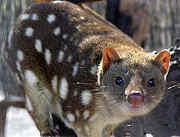
Immagine con effetto cornice polaroid. Se vogliamo allineare le immagini sulla stessa riga occorre dare il float left al div che le contiene.
<div>
<div style=" float:left; margin:10px;"><img src="/joomla35/images/sampledata/parks/animals/220px_spottedquoll_2005_seanmcclean.jpg" class="img-polaroid"></div>
<div style=" float:left; margin:10px;"><img src="/joomla35/images/sampledata/parks/animals/200px_phyllopteryx_taeniolatus1.jpg" class="img-polaroid"></div>
</div>

Utilizzare una delle centinaia di icone vettoriali disponibili (vedi elenco)
<i class="icon-thumbs-up icon-large"></i>
<span style="font-size: 50px; aria-hidden="true" class="icon-picture icon-large"></span>
Aumentare a piacere le dimensioni delle icone
<div style="font-size: 40px;">
<i class="icon-zoom-in icon-large"></i>
</div>
Modificare anche il colore delle icone
<div style="font-size: 40px; color: #DC143C; width: 50px; float:left; ">
<i class="icon-question-sign icon-large"></i>
</div>
<div style="font-size: 40px; color: #F9A302; width: 50px; float:left; ">
<i class="icon-music icon-large"></i>
</div>
Utilizzare le icone come bottoni
<a class="btn btn-small" href="#"><i class="icon-star"></i></a>
    <a href="#" class="btn"><i class="icon-edit"></i> <strong>Modifica</strong></a>
    <a href="#" class="btn"><i class="icon-trash"></i> <strong>Cancella</strong></a>
    <a href="#" class="btn"><i class="icon-key"></i> <strong>Chiave</strong></a>
Inserire dei tasti
<p><a href="#" class="btn btn-large btn-primary">Inizio</a></p>
Sempre tasti ma di colore e dimensione differenti
<a href="#"  class="btn">Default</a>
<a href="#"  class="btn btn-small btn-info">Info</a>
<a href="#"  class="btn btn-mini btn-success">Success</a>
<a href="#"  class="btn btn-large btn-warning">Warning</a>
<a href="#"  class="btn btn-danger">Danger</a>
<a href="#"  class="btn btn-inverse">Inverse</a>
Default Info Success Warning Danger Inverse
Blocco di allerta con bottone di chiusura
<div class="alert">
    <button type="button" class="close" data-dismiss="alert">×</button>
    <strong>Attenzione!</strong> Ricordati di disabilitare l'editor prima di utilizzare questi codici nell'HTML del tuo contenuto.
    </div>
    <div class="alert alert-error">
    Blocco errore
    </div>
<div class="alert alert-error"><span aria-hidden="true" class="icon-cancel"></span>
Blocco errore con immaginetta...
</div>
    <div class="alert alert-success">
    Blocco successo
    </div>
 <div class="alert alert-info">
   Blocco informazioni
    </div>
<div class="alert alert-info"><span aria-hidden="true" class="icon-flag-2 "></span> Blocco informazioni con immaginetta...
</div>
Esempio di tasto che apre una finestra "modal" con all'interno una immagine
<div id="myModal" class="modal hide fade" tabindex="-1" role="dialog" aria-labelledby="myModalLabel" aria-hidden="true">
            <div class="modal-header">
              <button type="button" class="close" data-dismiss="modal" aria-hidden="true">x</button>
              <h3 id="myModalLabel">Titolo finestra</h3>
            </div>
            <div class="modal-body">
             <img class="img-polaroid" src="/images/headers/walden-pond.jpg" />
            </div>
            <div class="modal-footer">
              <button class="btn" data-dismiss="modal">Chiudi</button>
            </div>
          </div>
          <div class="bs-docs-example" style="padding-bottom: 24px;">
            <a data-toggle="modal" href="#myModal" class="btn btn-primary btn-large">Apri finestra popup</a>
          </div>

Questo l'elenco delle Icone disponibili in Joomla 3
Upgraders Feature
If you are an experienced Joomla! 1.5 user, this Joomla site will seem very familiar. There are new templates and improved user interfaces, but most functionality is the same. The biggest changes are improved access control (ACL) and nested categories. This release of Joomla has strong continuity with Joomla! 1.7 while adding enhancements.
User
Default on:
- Joomla Help
Default off:
Two new plugins are available but are disabled by default.
- Contact Creator Help
Creates a new linked contact record for each new user created. - Profile Help
This example profile plugin allows you to insert additional fields into user registration and profile display. This is intended as an example of the types of extensions to the profile you might want to create.
Users
The users extension lets your site visitors register, login and logout, change their passwords and other information, and recover lost passwords. In the administrator it allows you to create, block and manage users and create user groups and access levels. Help
Please note that some of the user views will not display if you are not logged-in to the site.
- Sei qui:
-
Home

-
TZ Articolo
- Moduli - Demo e tutorial